Generating PDF/Excel, or SSRS Reports for Selected Records Using Power Automate in Dynamics 365

When you’re working with reports in Microsoft Dynamics 365, one common challenge is generating SSRS reports for only selected records. Out-of-the-box capabilities often require predefined filters or manual effort, making the process inefficient for dynamic business needs. This is where Power Automate steps in to bridge the gap. By combining Power Automate with SSRS, you… Continue reading Generating PDF/Excel, or SSRS Reports for Selected Records Using Power Automate in Dynamics 365
How to Create Your First PowerApps Component Framework (PCF) Control Using VS Code

PCF (PowerApps Component Framework) is a special feature or custom element that can be added to Microsoft PowerApps. PowerApps is a platform for building custom business applications. Developers can build their own extra features/controls/elements using web technologies. The PCF controls can be created using multiple languages i.e. TypeScript, React, Node.js, CSS and HTML.   To… Continue reading How to Create Your First PowerApps Component Framework (PCF) Control Using VS Code

Copilot Form Fill Assistance in D365 CRM

Copilot Form Fill Assistance is an AI-powered feature in Microsoft Dynamics 365 (Model-driven apps) that helps users fill in data fields on forms by suggesting relevant values based on: Clipboard content Previously entered data Uploaded files or images (PDFs, Word docs, images) Email content It aims to save time and reduce data entry errors by… Continue reading Copilot Form Fill Assistance in D365 CRM

Top 10 Hidden Features in Dynamics 365 Business Central That Will Blow Your Mind

Almost every company is aiming to revolutionise management operations. This not only includes basic management, but also planning by using insights. Dynamics 365 Business Central is the main software responsible for such operations. The main feature here is the fact that it helps to automate all processes. These include supply and sales management, studying data… Continue reading Top 10 Hidden Features in Dynamics 365 Business Central That Will Blow Your Mind

Top 10 Reasons Why Dynamics 365 Business Central Is a Game-Changer for Your Business

What is Dynamics 365 Business Central? Microsoft Dynamics 365 Business Central provides a powerful, cloud-based enterprise resource planning (ERP) software solution for small and medium-sized businesses. Dynamics 365 Business Central combines core business areas—such as finance, sales, service, and operation into a single, user-friendly platform. Dynamics 365 Business Central streamlines daily operations through automation and… Continue reading Top 10 Reasons Why Dynamics 365 Business Central Is a Game-Changer for Your Business

Lookup CRM Metadata Using API in Postman

In today’s fast-paced digital world, understanding and leveraging metadata is key to building robust, data-driven applications. Working with CRM systems, having quick access to metadata especially for lookup fields can significantly streamline customization and integration efforts. In this blog, we’ll walk you through the process of fetching CRM metadata using API calls in Postman, with… Continue reading Lookup CRM Metadata Using API in Postman

Automating PDF Generation with Dynamics 365 CRM Data Using JSON Mapping and Encodian in Power Automate

In this blog, I will showcase how to seamlessly integrate Dynamics 365 CRM with Encodian to automate the creation of PDFs populated with CRM data. By leveraging Power Automate, you can map data from CRM records directly into fillable PDF forms using JSON mapping. This solution simplifies document generation for processes like contracts, invoices, and reports, ensuring… Continue reading Automating PDF Generation with Dynamics 365 CRM Data Using JSON Mapping and Encodian in Power Automate

How to Populate Prefix in AutoNumber fields based on conditions in Dynamics 365 Sales

Maintaining organized and meaningful data is crucial for effective management and analysis. AutoNumber fields are a popular solution for generating unique identifiers, but sometimes a simple numeric sequence isn’t enough. By adding prefixes based on specific conditions, you can enhance the context of your data, making it easier to identify and categorize records briefly. In… Continue reading How to Populate Prefix in AutoNumber fields based on conditions in Dynamics 365 Sales

How to use Low-No Code Plugin using Data verse accelerator in dynamics 365

As everybody knows, in Dataverse, if we need to do anything that is not available in OOTB functionality and crucial to implement, we need to use plugin. To write a plugin, we need to write a code to mitigate our functionalities. But now, we do have another option available that will help us to create… Continue reading How to use Low-No Code Plugin using Data verse accelerator in dynamics 365

How to Change Auto number seed in Dynamics 365 Sales

This blog will help you with the scenario where you must reset the Auto number field seed using the Power Automate and Plugin in Dynamics 365 Sales. Suppose we have the following AutoNumber field created with, Seed value – {DATETIMEUTC:MMM-yy}_001 Using Power Automate: Here, reset the seed back to the original “001”-seed every month Using… Continue reading How to Change Auto number seed in Dynamics 365 Sales

How to get direct count using Fetch XML capabilities

FetchXML in Dynamics 365 is a query language used to retrieve data from the system. It is a powerful and flexible tool that allows users to define complex queries to retrieve specific data from Dynamics 365 entities. An aggregate function into FetchXML queries, we can enhance data retrieval capabilities in Dynamics 365. Whether we can… Continue reading How to get direct count using Fetch XML capabilities

Sequence in Dynamics 365 Sales process

An email, phone conversation, task creation, or record update in the Dynamics 365 Sales system are examples of preset stages that make up a sequence. These actions can be initiated manually by the user or automatically in response to predetermined criteria. They are set up to happen in a particular order. These can be referred… Continue reading Sequence in Dynamics 365 Sales process

Role-Based Sitemap Navigation in Dynamics 365 CE

Different users’ access to different kinds of records is defined by their security roles. You can limit access to entities by using security roles and the rights associated with them. In this blog, we will discover how to set up role-based SiteMap navigation in Dynamics 365 CE. We shall limit the area of a role-based… Continue reading Role-Based Sitemap Navigation in Dynamics 365 CE

Microsoft Dynamics 365: 2023 release wave 2 plan overview

As features are ready for release, the Dynamics 365 release plan for the second wave of the 2023 release notifies customers of the most recent upgrades. The second wave of updates for Dynamics 365, Viva Sales, and the supply chain platform are scheduled for release between October 2023 and March 2024. In addition to Microsoft… Continue reading Microsoft Dynamics 365: 2023 release wave 2 plan overview

How to Get Barcode Value in Dynamics 365 Mobile App

Microsoft Dynamics 365 provides the ability to scan the barcode from the mobile phone and tablets. For that you can enable “Barcode Scanner” control on any single line of text field from the form. One can use this Barcode Scanning option to access the data easily. Let’s take an example to understand it in a… Continue reading How to Get Barcode Value in Dynamics 365 Mobile App

Dynamics 365 Media and Entertainment Accelerator

The media and entertainment industries have better solutions available in the extended power platform common data model through the use of Dynamics 365 Media and Entertainment Accelerator. The fans and guests’ engagement are now easily manageable via out-of-the-box model driven and canvas apps. The accelerator provides the below features: Microsoft Teams is integrated with the… Continue reading Dynamics 365 Media and Entertainment Accelerator

Increase efficiency with the Dynamics 365 Government Accelerator

What is Microsoft Dynamics 365 Government Accelerator Microsoft Dynamics 365 Government Accelerator is a new tool designed to assist public sector and government entities in understanding and consuming data.   This first wave of the government data model supports policies, services, programmes, benefits, eligibility, licences, permits, grants, and more. It is accessible as an independent… Continue reading Increase efficiency with the Dynamics 365 Government Accelerator

Dynamics 365 Education Accelerator : Transforming Education Management

Dynamics 365 allows us to develop vertical solutions using industry accelerators. Accelerators are the extensions for the Microsoft Power Platform applications that provide the templates to suit the respective industry requirements. They provide most of the inbuilt functionalities so that the specific industries could leverage those features for their business requirements. In this blog we… Continue reading Dynamics 365 Education Accelerator : Transforming Education Management

Dynamics 365 Automotive Accelerator

As we know that Dynamics 365 Industry Accelerators are the vertical solutions supported on top of common data model to help the customers to easily configure their business requirements. Dynamics 365 Automotive Accelerators basically provide the features which can be leveraged by the dealers and the Original Equipment Manufacturers (OEMs) that includes automobile related deals… Continue reading Dynamics 365 Automotive Accelerator

Co Pilot from Microsoft

Microsoft Dynamics 365 Copilot offers interactive, AI-powered assistance in a variety of business processes. You can use this AI tool to analyze your data, then do things like find trends in specific data sets, create new sheets and charts based on that data, and even It even explains how it works and how to produce… Continue reading Co Pilot from Microsoft

Power Platform and Dynamics 365 based Industry Accelerators

We all know the no code/low code approach followed by Power Platform and Dynamics 365 among others has reduced the time it takes to deliver the solution to the end user. The industry accelerators developed on top of Power Platform reduce this time even further. These can be used on top of both Power Platform… Continue reading Power Platform and Dynamics 365 based Industry Accelerators

Enable Offline Capability for Dynamics 365 Sales and Model Driven App

Sometimes the users of the model driven app will be required to update the data even if there is no connectivity to the application. This is needed when the users access the application in a remote place where they do not have the connection to the internet. In order to enable the app for offline… Continue reading Enable Offline Capability for Dynamics 365 Sales and Model Driven App

Travel Insurance Industry’s Email Problem

The one thing that anyone working in the travel insurance industry will say is difficult to deal with is the number of emails that they receive. They may hit that sweet spot, the magic number of people that is just right for this task, but they may not be aware of a hidden problem that… Continue reading Travel Insurance Industry’s Email Problem

Rename multiple views easily in Dynamics 365 and PowerApps

In this blog, we will see how to rename multiple system views together using export import approach. Many a times, we come across a situation, where we rename entity. So, if we are renaming the entity, next obvious thing will be renaming the views as well. Now, if there are multiple system views then renaming… Continue reading Rename multiple views easily in Dynamics 365 and PowerApps

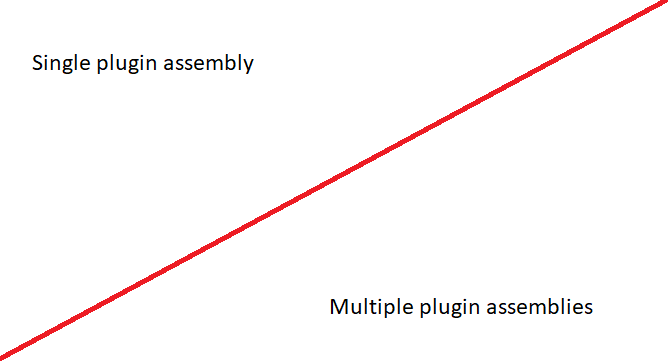
Dynamics 365 Plugin Assemblies. Single or Multiple? You decide!

In most projects with Plugins, there will be an obvious need for more than one plugin. This brings up challenges for how to organize and manage the assemblies and normally will result in having to strike a balance between maximizing plugin deployment segregation, (A single plugin class per plugin assembly) and ease of deployment/visual studio… Continue reading Dynamics 365 Plugin Assemblies. Single or Multiple? You decide!

Dependent Assemblies Update!

Hey Readers, breaking news!! and good ones this time!! Microsoft has released supported way for dependent assemblies in plug-ins. This release was released for public review for admins, makers, marketers, analysts automatically on 31 July 2022. General availability is yet to be announced. Currently developers use ILMerge Utility to combine set of assemblies in plug-in,… Continue reading Dependent Assemblies Update!

Dynamics 365 Sales Solutions: Are You Doing It Right?

Let me ask you a question. I give you two options and ask you to choose. I will ask you to give the reason for your choice. Simple? Wait. Hear the options and you will realize just how sadistic I actually am. Give yourself some time to think and you will sympathize with me. You… Continue reading Dynamics 365 Sales Solutions: Are You Doing It Right?

Introducing Power Pages!

Microsoft Power Pages is a part of the Microsoft Power Platform family. It is an evolution of Power Apps portals. The new features included are the new design studio. The templates are in preview for users to try and provide feedback. We can expect general availability of the Power Pages by next year. We can… Continue reading Introducing Power Pages!

Migrate Audit records from Dynamics 365 CRM to Azure SQL Server

Storage space comes at a premium in Dynamics 365 world. So, we need to manage it carefully and aggressively. When audit is enabled, the space it occupies creeps up steadily and silently and we only notice it when we get a message from Microsoft telling us we have run out of storage space. So, a… Continue reading Migrate Audit records from Dynamics 365 CRM to Azure SQL Server

Set Default Font style and Size of Email in Dynamics 365 Sales

In this blog we will see how we can set default font style and font size for the Email records in Dynamics 365 Sales. To achieve this, we need to follow the steps below: Create a new web resource Bind the new Web resource to the required email form where the changes need to be… Continue reading Set Default Font style and Size of Email in Dynamics 365 Sales

Dynamics 365 Sales data import. Anomalous materials and unforeseen consequences

We all have imported data into CRM at some point in our life. And a part of the process of importing data is cleaning up the data the is to be imported. I am sure almost all of us have encountered some unusual data that we had to clean up and some unusual data that looks… Continue reading Dynamics 365 Sales data import. Anomalous materials and unforeseen consequences

Load metadata of all entities and get Object Type Code based on Entity name in Dynamics 365 for Sales.

In this blog I’ll be taking you over how to get the Object type Code for the particular entity based on the Entity name. Suppose we need to get object type code for different entities in a loop in an stand alone .Net application. Generally, people are writing a fetch into the loop but not… Continue reading Load metadata of all entities and get Object Type Code based on Entity name in Dynamics 365 for Sales.

Create and Configure model-driven app interactive experience dashboards

In this blog I will show you how to create and configure Interactive experience dashboards in model driven apps. The Interactive dashboards are fully configurable and security-role based and deliver information across multiple streams in real time. The Interactive dashboards have two forms: multi-stream and single-stream. Multi-Stream dashboards can be table-specific dashboards. The multi-stream dashboards… Continue reading Create and Configure model-driven app interactive experience dashboards

Setting up the Custom Columns of SharePoint with Power Automate Flow and displaying them in Documents Grid in Dynamics 365 for Sales

Many times while uploading the documents of Dynamics CRM to the SharePoint we require that the fields of Dynamics CRM be reflected in the SharePoint column and we could also see the value populated in SharePoint Column in CRM. If you have any such requirements, stay tuned, as this blog is going to cover all… Continue reading Setting up the Custom Columns of SharePoint with Power Automate Flow and displaying them in Documents Grid in Dynamics 365 for Sales

Power BI > Embed Dashboard/Report in D365 Sales with RLS – 5

There are various approaches to embed Power BI Dashboard/Report in D365 Sales, but each approach comes with its own drawbacks and cons that might not complement your requirements. Earlier we have posted blogs that describe the 4 approaches but as I said they have their own pre-requisite and cons. With the advancements of Power BI… Continue reading Power BI > Embed Dashboard/Report in D365 Sales with RLS – 5

Secure Authentication of SharePoint with PnP Framework with C#(Code)

For a while, we had been using a NuGet Package named SharePointPnPCoreOnline(as shown in below image), which can be used for authentication to SharePoint and other SharePoint Client Side Object Model (CSOM) tasks for managing SharePoint Online Data. This is what we used in our previous blog posts part1 and part2 to connect using clientid/client… Continue reading Secure Authentication of SharePoint with PnP Framework with C#(Code)

Append Content Dynamically in Document Template and Generate the Merged Document in Dynamics 365 for Sales and SharePoint

We all have been using Document Templates which are directly available by system and these templates contains static content for all records. What if we need to append some content dynamically in one Word template and need to send the whole document in email attachment? We have come across a solution for this. For one… Continue reading Append Content Dynamically in Document Template and Generate the Merged Document in Dynamics 365 for Sales and SharePoint

Connection to Dynamics 365 and SharePoint Authentication Using ClientId & ClientSecret: Part 2

In our previous post, we saw what needs to be done in Azure and Dynamics 365. Now we will see the code part. Before we start with coding, the below nuget package should be installed. Nuget Package: Microsoft.CrmSdk.XrmTooling.CoreAssembly Reference link: https://www.nuget.org/packages/Microsoft.CrmSdk.XrmTooling.CoreAssembly For installing the package, open the Visual Studio -> Tools -> NuGet Package Manager… Continue reading Connection to Dynamics 365 and SharePoint Authentication Using ClientId & ClientSecret: Part 2

Connection to Dynamics 365 and SharePoint Authentication Using ClientId & ClientSecret: Part 1

I have come across various requirements from clients where it was more feasible to go with creating the C# console application for bulk processing the records in D365 CRM based on complex scenarios like updating the closed case entity records or uploading the files to SharePoint at specific location, or any scenarios that needed custom… Continue reading Connection to Dynamics 365 and SharePoint Authentication Using ClientId & ClientSecret: Part 1

Power BI > Embed Dashboard/Report in D365 Sales with RLS – 4

As there are various approaches to embed Power BI Dashboard/Report in D365 Sales, we might often use a different approach to achieve it only to realize that it doesn’t suit our cost or requirements. We have posted blogs describing the other 3 approaches but they have their own limitations regarding licenses or restriction of data… Continue reading Power BI > Embed Dashboard/Report in D365 Sales with RLS – 4